The Walking Desk
Lately I was asked a question about getting steps in using my FitBit. The answer is the walking desk. This allows me to use my computer… Read More »The Walking Desk
Lately I was asked a question about getting steps in using my FitBit. The answer is the walking desk. This allows me to use my computer… Read More »The Walking Desk
What 2015 meant to me and my business. Stedman Solutions, LLC – Startup After unexpectedly leaving a regular full time employment position on March 31st… Read More »2015 Review
The Optimize for Ad Hoc Workloads server configuration can improve performance, and is extremely unlikely to negatively impact performance.
This was a new feature that was introduced in SQL Server 2008, and as with many new features in SQL Server, it is not turned on by default.
Without the Optimize for Ad Hoc Workloads feature enabled, when a plan is compiled, it is kept around in memory (cached) until something else pushes it out of the cache.
With the Optimize for Ad Hoc Workloads feature enabled, the first time a plan is compiled, it is not kept around in cache, rather a stub is kept around to indicate that they query has previously been complied. The second time the plan is compiled it is kept around in memory. Over time you end up with fewer one time use queries in memory, reducing the memory impact of the plan cache. All other multi-use ad hoc plans will need to be compiled twice on the first and second time that they are used.
The Optimize for Ad Hoc Workloads server configuration doesn’t change the size of the plan cache in SQL Server, it does however prevent the single use ad hoc plans from using up plan cache space, making more space for other cached plans.
Today I participated in my second ever 5K race today, the Bellingham Jingle Bell Run. My running partner (Gypsy the black dog in the picture)… Read More »Jingle Bell Run – My second 5K run.
Today I have the pleasure of releasing the next version of the Database Health Monitor application. Currently at version 2.2, I have been working on… Read More »Database Health Version 2.2 Released Today
Please help spread the word to anyone who may want to attend this free users group meeting and presentation. The November meeting of the Bellingham… Read More »Bellingham SQL Server Users Group – Building a Static Data Warehouse Server
Last week I had the great opportunity to speak at PASS Summit 2015. My presentation was on Common Table Expressions. Here is the sample… Read More »Epic Life Goal Completed: Speaking at PASS Summit – Advanced CTEs
Friday morning at 8:00am at PASS Summit 15 in Seattle, I will be presenting my Advanced Common Table Expressions and Recursive Query Technique session. Advanced Common… Read More »Advanced Common Table Expressions and Recursive Query Technique
IF you are browsing your error log and come across an error message stating that “1 transactions rolled forward in database ‘msdb'”, or “X transactions rolled back in database ‘msdb'” you might be a bit alarmed. You might also notice similar error messages for master, tempdb or user databases.
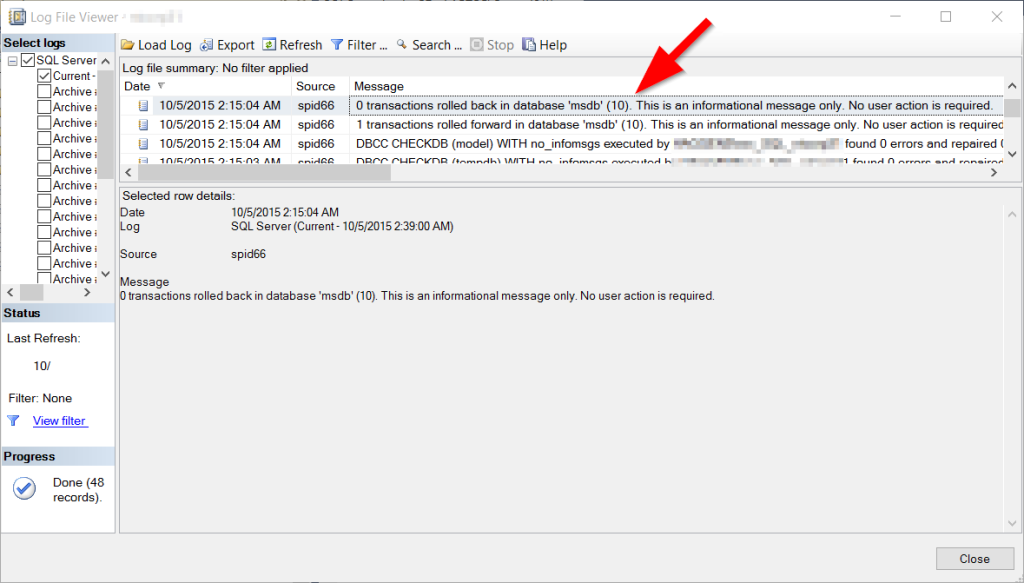
How can this be a good thing? Why are transactions being rolled back or rolled forward?
Here is a discovery that I made using the Database Health Monitor historic wait monitoring, on a server with slow storage where the backups were being written.
If you are seeing excessive waits on the PREEMPTIVE_OS_GETPROCADDRESS wait type and xp_create_subdir is the command with the wait, and this is occurring at the time your backups are being run, it is a symptom that the storage location for your backups is having I/O difficulties.
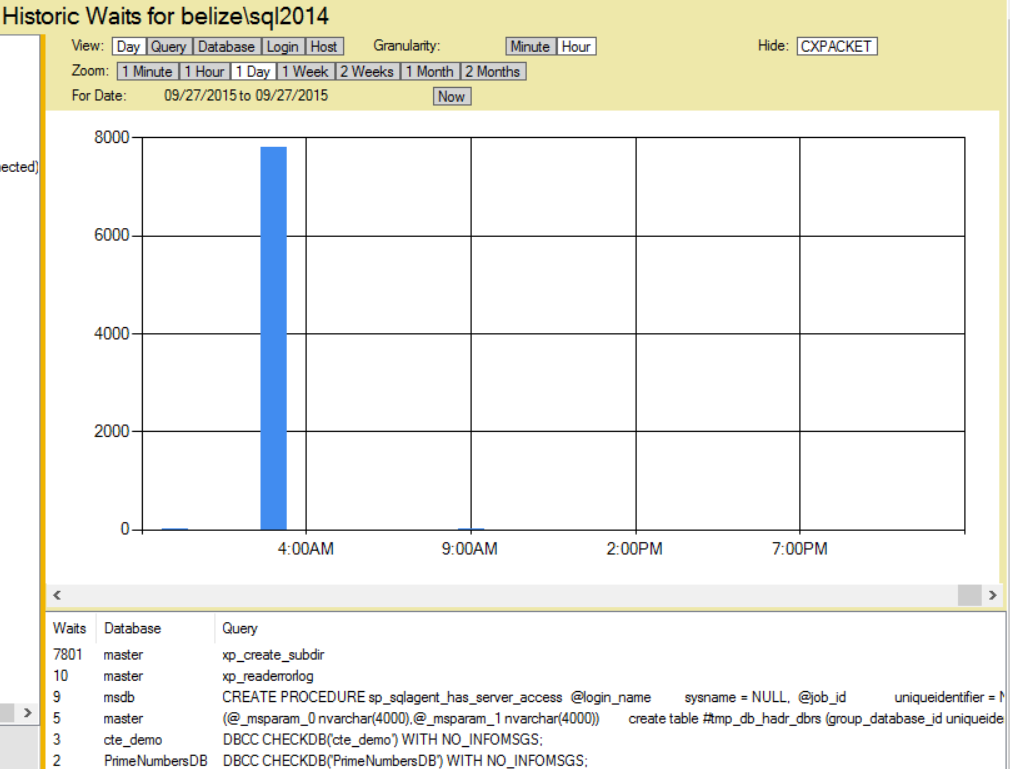
I noticed this on a server with an external USB 2.0 attached hard drive that was being used for backups, and on a second server with a USB 3.0 external hard drive. When the backups run, there was a wait for the process to attempt to see if the backup directory exists, and to create it if it did not.
Read More »PREEMPTIVE_OS_GETPROCADDRESS and xp_create_subdir