
When working with data in SQL Server, you might encounter situations where numeric values are stored as strings with leading zeros. These leading zeros can cause issues when performing calculations, comparisons, or displaying data in a user-friendly format. Whether you’re dealing with product codes, account numbers, or other identifiers, knowing how to strip leading zeros using T-SQL is a valuable skill for any database professional. This blog post will explore practical methods to remove those unwanted zeros and ensure your data is clean and usable.
There are several approaches to tackle this challenge in SQL Server, ranging from built-in functions to custom logic. Each method has its own use case, depending on the data type and the specific requirements of your query. In the following sections, we’ll dive into techniques like using TRIM, PATINDEX, and CAST to handle leading zeros effectively. By the end of this post, you’ll have a clear understanding of how to apply these solutions in real-world scenarios and optimize your T-SQL queries for better performance.
Method 1: Using CAST and CONVERT Functions
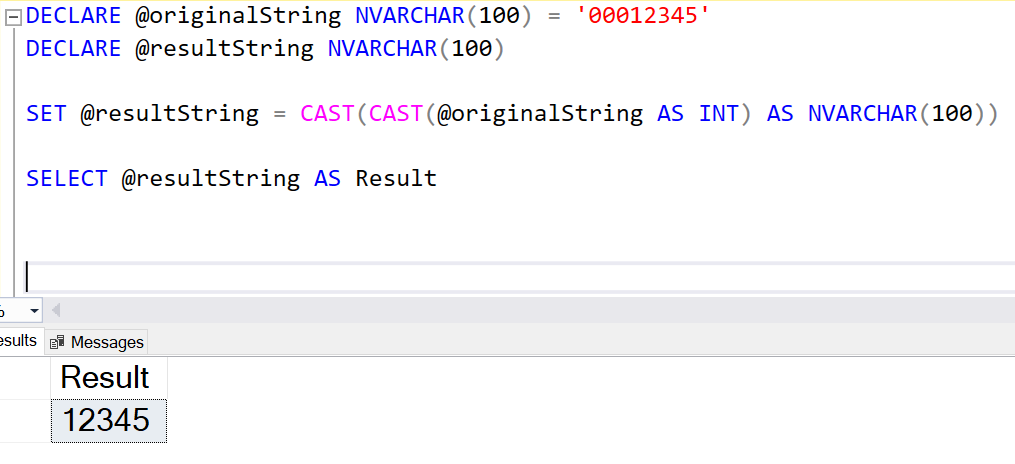
One straightforward way to remove leading zeros is to convert the string to an integer and then back to a string. This approach works well if you know that the string contains only numeric characters.
DECLARE @originalString NVARCHAR(100) = '00012345'DECLARE @resultString NVARCHAR(100)SET @resultString = CAST(CAST(@originalString AS INT) AS NVARCHAR(100))SELECT @resultString AS Result In this example, @originalString is cast to an integer, which automatically removes the leading zeros. It is then cast back to a string.
Method 2: Using PATINDEX and SUBSTRING Functions
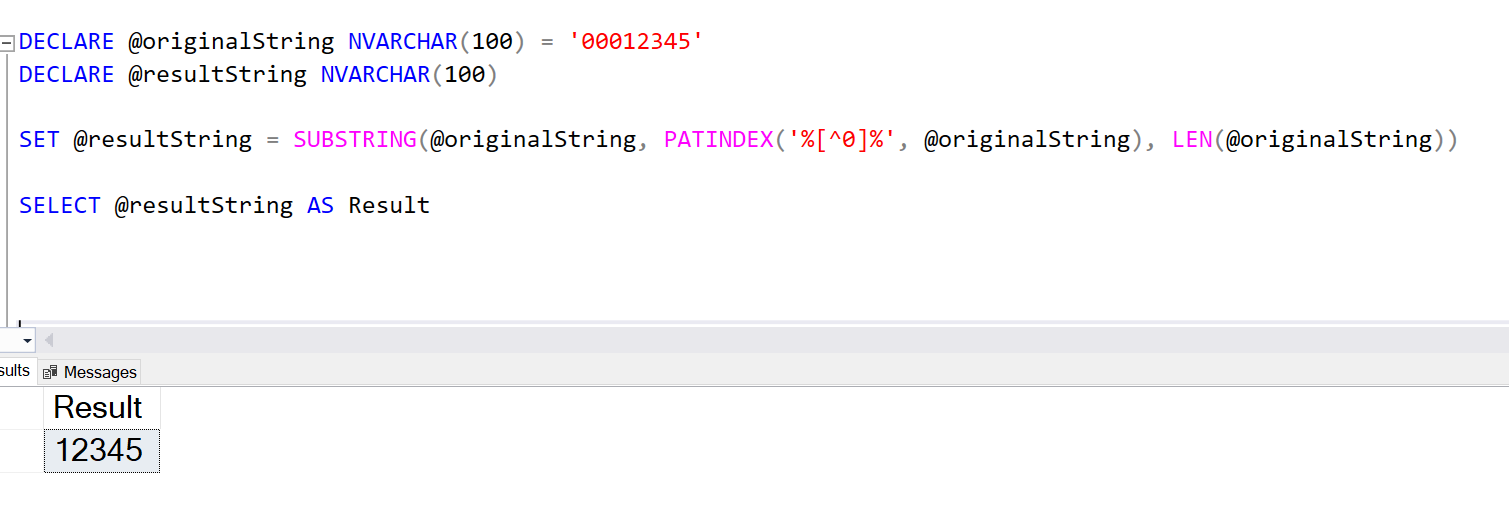
For more control, especially when the string might contain leading zeros in the middle of the string, you can use PATINDEX and SUBSTRING.
DECLARE @originalString NVARCHAR(100) = '00012345'DECLARE @resultString NVARCHAR(100)SET @resultString = SUBSTRING(@originalString, PATINDEX('%[^0]%', @originalString), LEN(@originalString))SELECT @resultString AS Result Here, PATINDEX('%[^0]%', @originalString) finds the position of the first non-zero character, and SUBSTRING extracts the part of the string from that position to the end.
Method 3: Using REPLACE in a LOOP
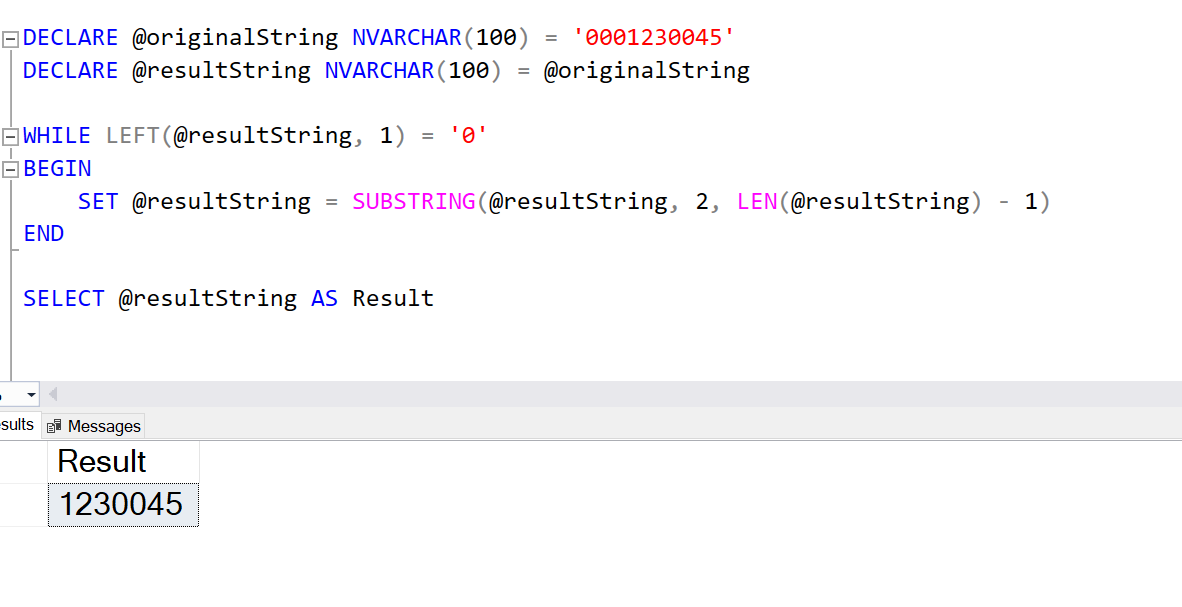
For more complex scenarios, such as strings with embedded zeros that should not be removed, you can use a loop to ensure only leading zeros are removed.
DECLARE @originalString NVARCHAR(100) = '0001230045'DECLARE @resultString NVARCHAR(100) = @originalStringWHILE LEFT(@resultString, 1) = '0'BEGIN SET @resultString = SUBSTRING(@resultString, 2, LEN(@resultString) - 1)ENDSELECT @resultString AS Result This script iteratively removes leading zeros by checking the first character and using SUBSTRING to trim it off if it’s a zero.
Removing leading zeros in SQL Server can be accomplished in several ways, depending on the specifics of your data and requirements. Whether you use CAST, PATINDEX, or a loop, each method provides a reliable solution for different scenarios.
For ongoing monitoring and maintenance of your SQL Server environment, consider using Database Health Monitor, a powerful tool that helps you keep your databases running smoothly. If you need expert assistance with your SQL Server, Stedman Solutions’ Managed Services offer comprehensive support, monitoring, and mentoring to ensure your databases are always in top shape.
For more tips and SQL Server insights, visit my blog at SteveStedman.com and explore our Managed Services that deliver peace of mind and excellent performance for your SQL Server environments.
More from Stedman Solutions:

Steve and the team at Stedman Solutions are here for all your SQL Server needs.
Contact us today for your free 30 minute consultation..
We are ready to help!