
Managing security within SQL Server is a task that demands precision and careful attention, particularly when dealing with certificates. These digital certificates are crucial for encrypting data, verifying identities, and securing communications within the server environment. As database environments grow in complexity, so does the need to efficiently manage and iterate over multiple certificates. In this blog post, we’ll dive into the practical application of using SQL Server cursors to iterate over certificates, enabling seamless management and operations.
While cursors are often debated in the SQL community due to their performance implications, they offer a unique capability to individually process each row returned by a query. When it comes to tasks like handling certificates, this row-by-row processing is invaluable. Whether you’re tasked with auditing existing certificates, renewing them, or automating reporting processes, understanding how to leverage cursors can save time and reduce errors. Join us as we explore the setup and execution of cursors in SQL Server, providing step-by-step guidance and best practices to ensure optimized performance and security.
Looping Over SQL Server Certificates with Cursors
Welcome to another SQL Server educational post! Today, we’re going to explore how to use cursors to iterate over all certificates in the sys.certificates system view. Cursors can be handy when you need to process each row in a result set individually.
A T-SQL (Transact-SQL) cursor is a database object used in SQL Server to process rows returned by a query on a row-by-row basis. Unlike the set-based operations common in SQL, which handle an entire set of rows all at once, cursors allow you to work with individual rows sequentially.
Here’s a basic example of how you can use a cursor for this purpose:
DECLARE @name NVARCHAR(128); -- Variable to store certificate name-- Declare the cursorDECLARE cert_cursor CURSOR FORSELECT name FROM sys.certificates;-- Open the cursorOPEN cert_cursor;-- Retrieve the first rowFETCH NEXT FROM cert_cursor INTO @name;-- Iterate over each certificateWHILE @@FETCH_STATUS = 0BEGIN -- Your processing logic here PRINT 'Certificate Name: ' + @name; -- Move to the next row FETCH NEXT FROM cert_cursor INTO @name;END-- Close and deallocate the cursorCLOSE cert_cursor;DEALLOCATE cert_cursor;
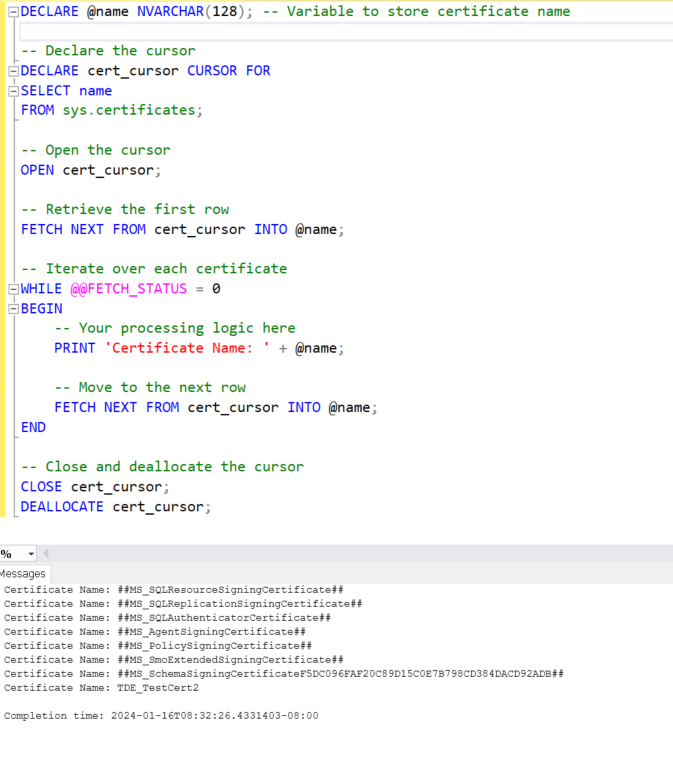
Overall the value here is not the ability to print the certificate names, but rather to have a programatic loop where you can get the certificate name and do something interesting with it like, perhaps backup the certificate.
Note: Cursors can be resource-intensive and might not be the best choice for large-scale operations. They’re best used when set-based operations are not feasible, or when individual row processing is necessary.
For more information on cursors, hear are some additional posts that I have written:
- Short video on using cursors. https://stevestedman.com/2015/03/simple-introduction-to-tsql-cursors/
- Simple Cursor Examplehttps://stevestedman.com/2013/04/t-sql-a-simple-example-using-a-cursor/
- Using a Cursor to list Databaseshttps://stevestedman.com/2015/03/t-sql-a-listing-databases-example-using-a-cursor/
If you’re working with SQL Server and are interested in performance tuning, you might find the Database Health Monitor tool incredibly useful. It can provide insights into server health, performance, backups, disk space, and query efficiency, making it an excellent resource for managing databases effectively.
For more SQL Server tips, tricks, and tutorials, be sure to check out Stedman’s SQL School classes, where you can deepen your knowledge and skills in SQL Server.
More from Stedman Solutions:

Steve and the team at Stedman Solutions are here for all your SQL Server needs.
Contact us today for your free 30 minute consultation..
We are ready to help!