
I just wanted to let you know that the new deadlock tracking has been extremely useful in tracking down issues at my workplace. Without the tools, it’s was easy to see that one side of the process would fail occasionally, but it was hard to see what process won the deadlock. This is a gamechanger for me. I just wanted to say thanks to you and the team for adding this functionality.
Eric – A Database Health Monitor User
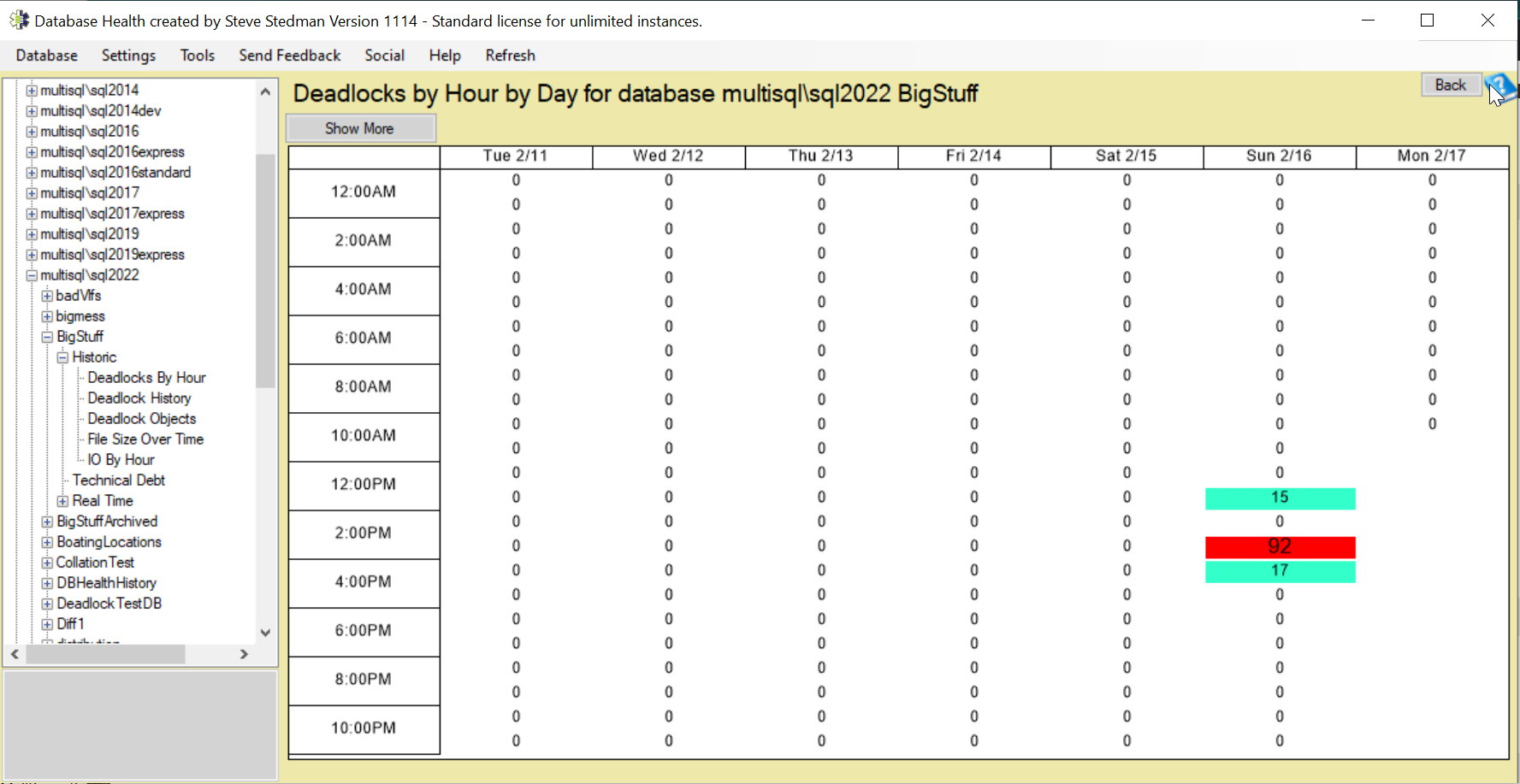
Deadlocks in SQL Server occur when two or more processes hold locks on resources that the other processes need, resulting in a circular wait condition where none can proceed. To resolve the issue, SQL Server automatically detects the deadlock and selects a “victim” process to terminate, allowing the other transaction(s) to continue.
How Deadlocks Occur
Deadlocks typically happen when multiple transactions request the same set of resources but in a different order. Here’s a simple example:
- Transaction A locks Table 1 and requests a lock on Table 2.
- Transaction B locks Table 2 and requests a lock on Table 1.
- Since neither transaction can proceed without the other releasing its lock, a deadlock occurs.
Deadlock vs. Blocking
| Feature | Deadlock | Blocking |
|---|---|---|
| Definition | Circular wait where two or more transactions are stuck indefinitely. | One transaction holds a lock while another waits. |
| Resolution | SQL Server selects a victim process to terminate. | The blocked transaction continues once the blocking process completes. |
| Impact | Causes a transaction rollback and possible errors. | Causes delays but does not terminate transactions. |
How to Detect Deadlocks
SQL Server provides multiple ways to detect and analyze deadlocks:
- Using Database Health Monitor to capture details.
- Querying system views like
sys.dm_tran_locksandsys.dm_exec_requests. - Checking SQL Server error logs for deadlock occurrences.
Preventing Deadlocks
To reduce the chances of deadlocks, consider the following best practices:
- Ensure that transactions acquire locks in a consistent order to avoid circular waits.
- Keep transactions short and efficient to minimize the locking duration.
- Use appropriate isolation levels, such as Read Committed Snapshot Isolation (RCSI), to reduce contention.
- Optimize indexes to reduce lock contention and improve query performance.
Automating Deadlock Detection with Database Health Monitor
Instead of manually investigating deadlocks, you can use Database Health Monitor to track and analyze deadlocks across your SQL Server instances. This tool provides detailed reports, historical tracking, and recommendations to help you proactively manage and resolve deadlocks.
Related Links
- Instance Deadlock History Report
- Instance Deadlocks by Database
- Deadlock Advisor dialog
- Database level Deadlock History
- Database level Deadlocks By Hour
- Database level Deadlocks Objects
More from Stedman Solutions:

Steve and the team at Stedman Solutions are here for all your SQL Server needs.
Contact us today for your free 30 minute consultation..
We are ready to help!