Some typical corruption scenarios we see:
- After starting SQL Server your database is in a Recovery Pending state, and it stays that way.
- After starting SQL Server your database is in Suspect mode.
- Running a query may throw errors about a logical consistency-based I/O error.
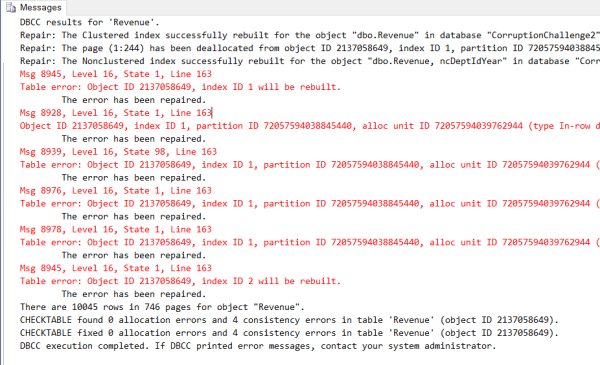
- CheckDB displays consistency errors in your database.
- Ransomware attack has prevented your database from starting.
SQL Server Won’t Start
If you are in the situation where your SQL Server Won’t Start up, this can be a side effect of the database corruption, and we can help.
DBCC CheckDB Errors
Running CheckDB throws lots of errors in red text. This also applies to any of the DBCC checks like CHECKCATALOG, CHECKALLOC, CHECKCONSTRAINTS, CHECKTABLE, CHECKFILEGROUP, and others. We can help.
Query Errors
Sometimes when a table or index is corrupt you get errors just querying that tables. These errors usually show in in CHECKDB, but the query error may be the first symptoms. We can help.
– We can help Kill your Corruption –

(360)610-7833
Or schedule a Free 30 min Zoom Meeting
More from Stedman Solutions:

Steve and the team at Stedman Solutions are here for all your SQL Server needs.
Contact us today for your free 30 minute consultation..
We are ready to help!
Hi ,
I need your help since I can’t put my database online from some .mdf files that I have recovered and one .bak that is also corrupt and I can’t do the restore on my MSSQL2008 , I am in Uruguay – South America, could I send you the files (let’s say about 4 or 5 of 5G each) and you could evaluate if they are recoverable and at what cost?
Thank you so much in advance.
Marco Pérez,
MCSE
Usually we start with a short call to review the situation before sending any files.
You can use this link to schedule a meeting with me. https://stedman.us/schedule
Steve Stedman