Being day two of DBCC Command month at SteveStedman.com, today’s featured DBCC Command is DBCC CHECKCATALOG.
Description:
DBCC CheckCatalog checks the catalog integrity for a given database. DBCC CheckCatalog is less intensive than DBCC CheckDB, as CheckCatalog checks that every data type in syscolumns has a matching entry in systypes and that every table and view in sysobjects has at least one column in syscolumns.
DBCC CHECKCATALOG Syntax
dbcc checkcatalog
[
    ( { 'database_name' | database_id | 0 } )
]
    [ WITH NO_INFOMSGS ]
Example:
-- Check the current database.
DBCC CheckCatalog;
If there are no errors encountered you will see the following output:
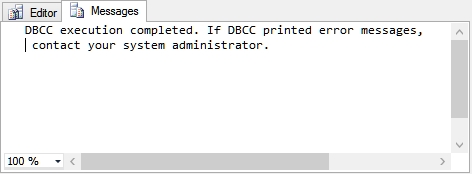
If you encounter errors your can consider restoring from backup, or possibly using DBCC CheckDB with one of the repair options to attempt to fix the catalog corruption.
Notes:
For more information see TSQL Wiki DBCC checkcatalog.
DBCC Command month at SteveStedman.com is almost as much fun as shark week.
More from Stedman Solutions:

Steve and the team at Stedman Solutions are here for all your SQL Server needs.
Contact us today for your free 30 minute consultation..
We are ready to help!