Error Log: I/O is Frozen On Database
I/O is Frozen on Database. You are scanning your SQL Server Logs and discover the following error messages. There may be a long list of them, one frozen and one resumed for each database on your SQL Server.
I/O Is Frozen On Database
spid61,Unknown,I/O is frozen on database [master]. No user action is required.
spid61,Unknown,I/O is frozen on database [model]. No user action is required.
spid61,Unknown,I/O is frozen on database [msdb]. No user action is required.
spid61,Unknown,I/O is frozen on database [databaseName1]. No user action is required.
spid61,Unknown,I/O is frozen on database [databaseName2]. No user action is required.
spid61,Unknown,I/O was resumed on database [master]. No user action is required.
spid61,Unknown,I/O was resumed on database [model]. No user action is required.
spid61,Unknown,I/O was resumed on database [msdb]. No user action is required.
spid61,Unknown,I/O was resumed on database [databaseName1]. No user action is required.
spid61,Unknown,I/O was resumed on database [databaseName2]. No user action is required.
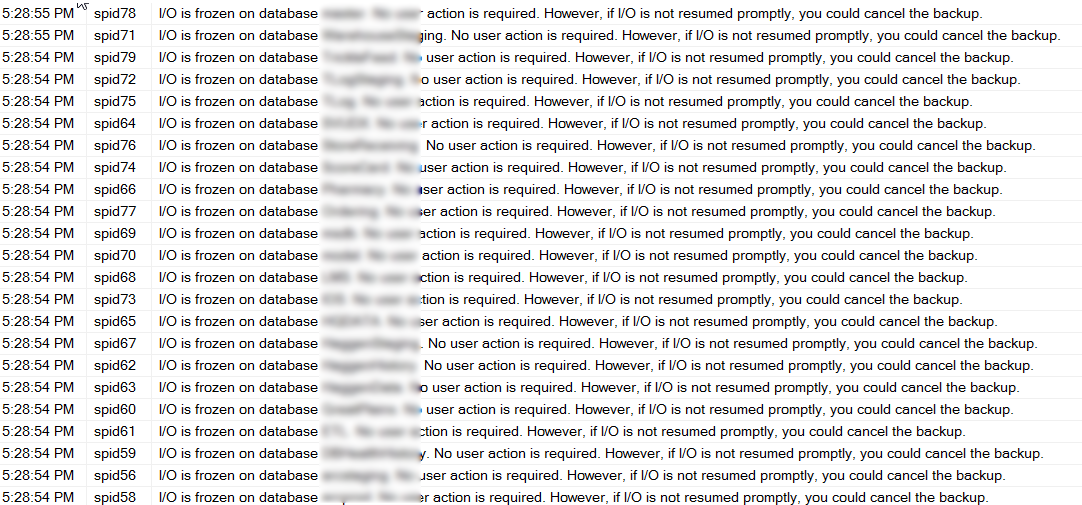
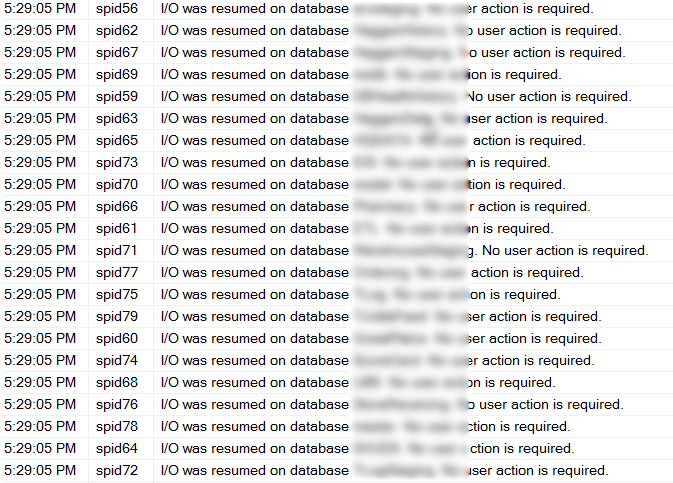
The error message doesn’t sounds good, I/O frozen… Your SQL Server needs its I/O, and how could frozen I/O be anything but bad?
Well it turns out that when Veeam, Veritas, Symantec Business Continuance Volume (BCV) or other third party backup tools that uses a VSS (Volume Shadow Copy Services), it temporarily freezes the I/O, then quickly resumes it. Keep in mind that Veeam for instance is a really awesome tool, that just happens to use a built in SQL Server feature to use snapshots on the backup. Veeam an other backup tools do this to get the most solid backup possible when a virtual machine is being backed up.
 SQL Server Integration Services (SSIS) is one of those components that can help you out with your ETL (Extract, Transform and Load) work, or it can hinder your process if it is a poor performing ETL. There are many things that can easily cause an ETL to run for hours, when it should be running for minutes.